


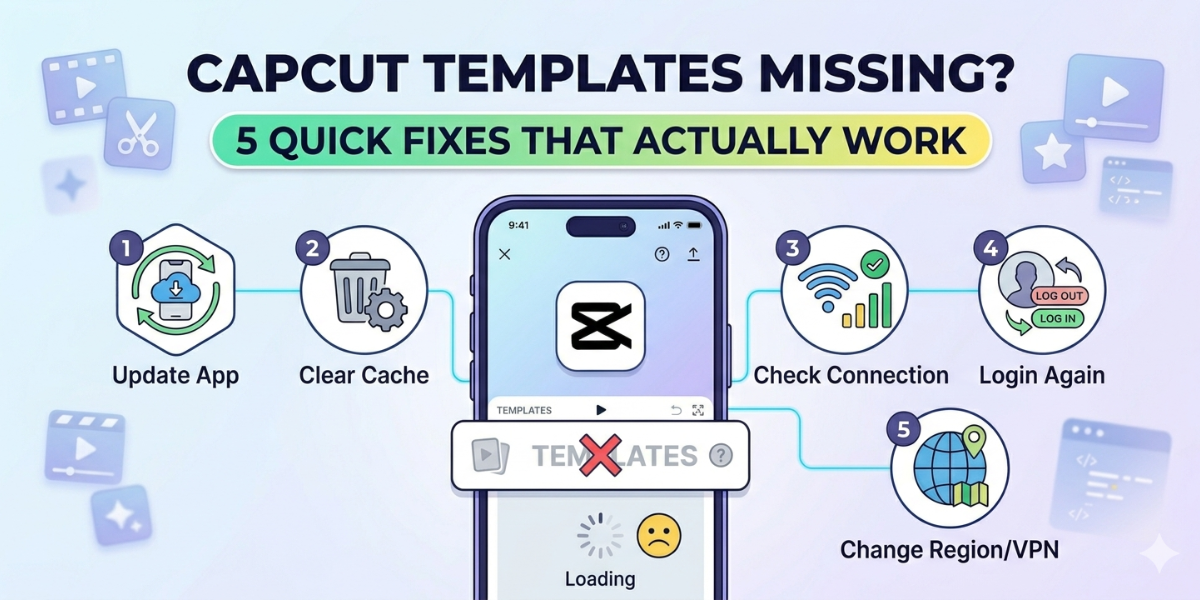
CapCut templates gone blank — you open the app, tap Templates, and nothing loads. Below are 5 troubleshooting steps, why 3.2M+ creators hit this on iPhone, Android, PC, and MacBook, plus the region and cache fixes that resolve it in minutes.
Table of Contents
Step 1: Update the CapCut App
An outdated app version is the single most common cause of missing templates. CapCut rolls out new templates server-side, and older builds can’t sync with the latest library. Updating takes less than a minute on any platform.
How to update on iPhone and Android
Open the iOS App Store or Android Google Play Store. Search for “CapCut” and tap Update if a new version appears. Relaunch the app and check the Templates tab.
How to update on PC and MacBook
Launch the CapCut desktop client and click the profile or settings icon. Select “Check for updates” and install any available version. Restart the app after the download finishes.
Step 2: Check Your Region and Availability Settings
Not every template appears in every country. CapCut curates its library based on your device’s region settings, so some trended templates stay hidden depending on location.
Why templates vary by region
Music rights and content guidelines differ by market. A template using a licensed track won’t surface where that track isn’t cleared. CapCut also highlights region-specific trends, so your feed changes depending on where you are.
How to check your region settings
On mobile, go to system Settings → General → Language & Region and confirm the region matches your actual location. On desktop, check the region setting in your CapCut profile. Restart the app after any change.
Step 3: Clear Cache and Optimize Device Settings
Corrupted cached data blocks new templates from loading. Clearing the cache forces CapCut to fetch a fresh copy of the library from the server.
Clearing cache on mobile devices
On Android: Settings → Apps → CapCut → Storage → Clear Cache. On iPhone, offload the app via Settings → iPhone Storage → CapCut → Offload App, then reinstall. This removes corrupted files without deleting your account or drafts.
Optimizing network and storage
Switch between Wi-Fi and cellular to rule out network-level blocks. Ensure at least 1 GB of free storage is available. Disable any VPN or ad-blocker that could interfere with CapCut’s server connection.
Step 4: Reinstall the CapCut App
If updating and cache clearing haven’t worked, a full reinstall replaces every corrupted file at once. This step often fixes template lists that keep reorganizing or templates that vanished after a previous update.
Back up your projects first
Open CapCut and confirm your drafts are synced to the cloud. Export any unfinished projects to your device’s gallery for extra safety. After a fresh install, log in to restore everything.
Reinstalling on all platforms
On mobile, delete the CapCut app, restart your phone, then download it fresh from the App Store or Play Store. On PC or MacBook, uninstall via system settings, grab the latest installer from capcut.com, and install anew.
Step 5: Report the Issue to CapCut Support
When templates still won’t appear after all four steps, the cause may be account-specific or server-side. CapCut’s support team can flag your account and investigate. Several Reddit users have had access restored after submitting a ticket.
How to submit a support request
Open CapCut and go to Profile → Settings → Feedback. Select “Report a problem” and choose the Templates category. Describe what you see — blank page, error message, or specific missing templates.
What information to include
Mention your device model, operating system version, and CapCut app version. Include screenshots of the empty template screen. Note which steps you’ve already tried to cut down on back-and-forth replies.
Tips & Troubleshooting
Template visibility issues often resurface after major app updates. A few preventive habits keep your library accessible.
Prevent future template issues
Enable automatic updates for CapCut in your app store settings.
Clear cache monthly to prevent corrupted build-ups.
Keep at least 2 GB of free storage on your device so the app can download template assets without interruption.
Recover saved templates that vanished
Check the Drafts folder — reorganized templates sometimes land there.
Search by name using the search bar. If templates submitted to creator tasks disappeared, contact CapCut support with your submission details.
Conclusion
Update the app, then work through region checks, cache clearing, and reinstalling. Most users see templates reappear by Step 3. If nothing works, CapCut support is your final — and usually fastest — path back to a full template library.
Frequently Asked Questions
Why can’t I see any CapCut templates on my phone or computer?
Outdated app versions, regional restrictions, corrupted cache, and VPN or network blockers are the top four causes. Running through the five steps above resolves the vast majority of blank template screens.
Are CapCut templates available in all regions including the United States?
Most templates are available worldwide, but some are restricted due to music licensing or content rules. If you’re in the United States, your region settings give access to the largest share of the library.
How do I fix CapCut templates not showing up after an update?
Clear the app cache — the new build may conflict with old cached data. Forcing a fresh sync resolves the conflict in most cases.
What should I do if my saved or submitted templates disappear?
Check the Drafts folder first. Reorganized templates sometimes relocate there. For submitted templates that vanished from creator tasks, contact support with your submission details.
How can I always get the latest trending CapCut templates?
Keep CapCut set to auto-update, clear cache regularly, and follow CapCut’s official social channels. Enabling push notifications alerts you when trending templates go live.
