

1080p to 4K for Product Videos: Check Detail, Motion, and Export Size Before Publishing

A product video is ready to deliver, but the client now wants the delivery in a 4K version rather than the 1080 file you have been working on. Now, would you go back and start from zero? Obviously not, so here, upscaling the existing versions seems like a reasonable alternative. But will the finished file look better, and will the improvements justify the larger exports? The answer depends on the footage, the enhancement process and the requirements of the final delivered file. A 4K file has more pixels than the 1080p version, but those pixels don’t automatically restore details missing from the original. Small text may become hard to read, and processing may change fine texture. Now, before committing to a full export, compare the original and enhanced versions carefully.
Table of Contents
Start With the Requirements for Your Product Video
One thing to consider when changing the resolution is which platform you’ll upload the video to. Different requirements demand different resolutions; a product video for Instagram can work best at 1080p, but a high-quality brand campaign will have higher expectations for video quality.
Resolution is only one part of the decision; what matters is video quality. A standard 1080p video has 1920 × 1080 pixels, whereas a 4K UHD one has 3840 × 2160 pixels resolution.
AI Tool for Upscaling Your Video
When a client asks for 4 K, you might be tempted to upgrade the existing quality and call it a day. But a bigger resolution doesn’t always mean better quality. Blurry labels, odd textures, and unnatural textures can spoil the final result.
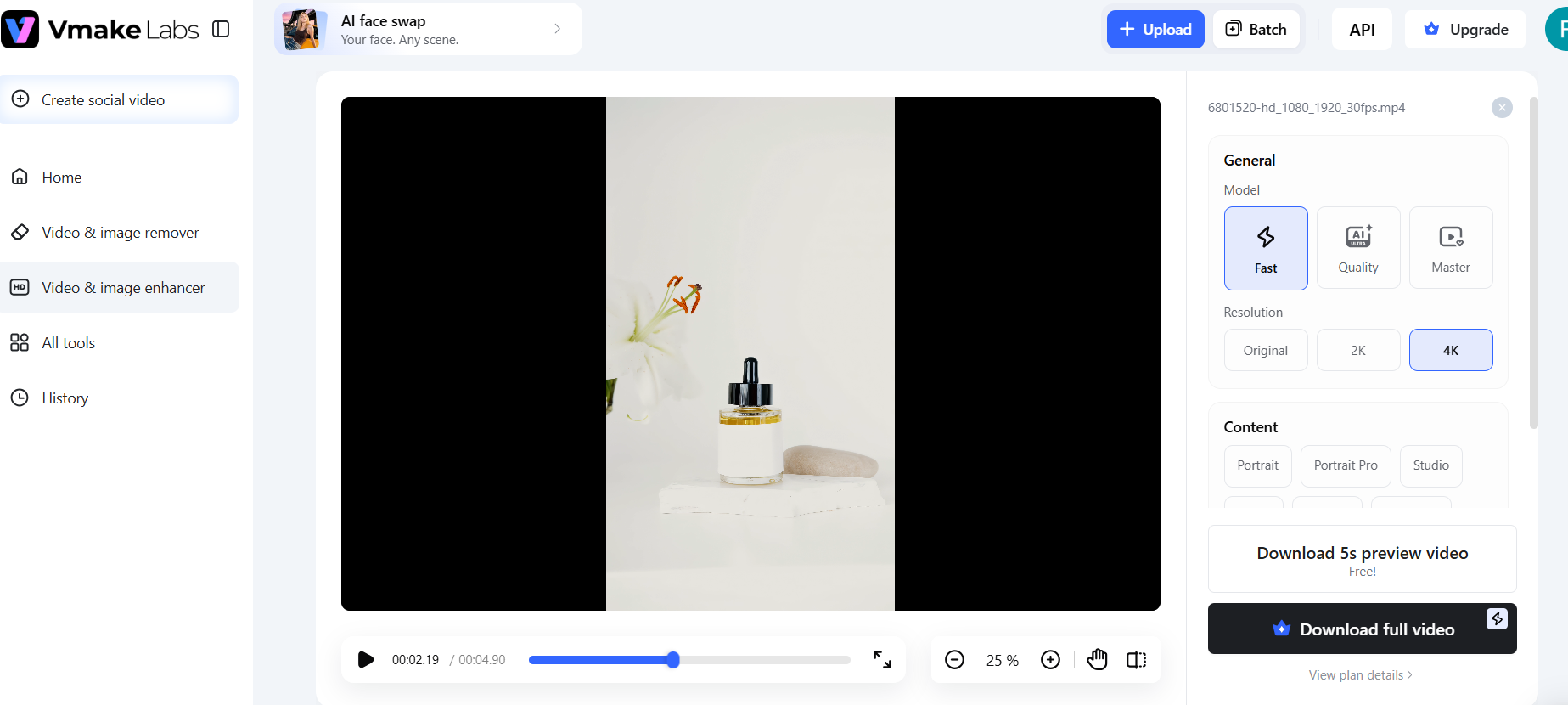
That’s where an AI enhancer like Vmake Labs is worth a closer look. It offers upscaling to 2K, 4K, and 8K, with dedicated models for enhancing footage. But do the results really hold up using Vmake Labs? Compare the initial and improved versions and make sure that the export resolution is 3840 x 2160 pixels.
A product video can look fine at first glance, but zooming in on the packaging makes flaws easier to spot. To see how Vmake Labs handles these details, a closer shot of the cosmetic video lets you examine features like bottle edges, the label, and reflective surfaces. With the Vmake Labs product model, the enhanced preview looked sharp and refined, with no blur or grain. The bottle appeared clear, even after the enhancement. It supports up to 4K resolution, but there is one catch: this requires a paid plan, though a short 5-second preview lets you review the enhancement before upgrading.
Compare Product Details at the Same Viewing Size
A product video can look sharp without losing the details. The main challenge is comparing it with the original and seeing the difference. In the cosmetic bottle clip, Vmake Labs produced a sharper and more refined preview. Compared with the original, the enhanced bottle looked clearer, and the video showed no obvious blurring.
Rather than making the footage look rough or degraded, it produced a cleaner product version.
Watch the Product Move Before Approving the Result
A sharper product video might win you over in a still frame, but what happens when the footage starts playing? A bottle can look clear in a still frame, but the real test is whether that clarity holds up in the video instead of disappearing.
In the cosmetic bottle test, the Vmake labs didn’t blur or lose quality even while moving. The preview is like a short introduction to the video, not the final verdict. It lets you review the enhancement before publishing the video.
Before
Check the resolution and file size before publishing
A sharper-looking video is great, but the export details tell you whether the upgrade comes with a practical trade-off. After all, nobody wants to prepare a product video they can’t use later. Vmake Labs’s test gave a clear before-and-after comparison. The original HD video measured 1920 x 1080 pixels and was 1.44 mb. After enhancement, the downloaded version was 3840 x 2160 pixels and 30.1 MB. In this case, the higher resolution came with a noticeable increase in the file size.
After
Decide between 1080p and Upscaled Version
Going from 1080p to 4K sounds like an easy win, but a higher resolution number doesn’t automatically make the video better. What matters is if the visual improvement is worth it for the video’s intended use. You need to check out many things to decide if you want an upscaled version or not. Vmake Labs gave the footage a sharper, more refined look without adding blur.
The difference showed up in the file properties, too. If your campaign calls for 4K product footage, the enhanced version is the good choice.But for your website or social media, 1080 might be all you need. If you want 4K, the enhanced version will work, but if the footage looks too soft, you can convert video to HD before deciding whether further enhancement is needed.
Approve the Version That Meets the Brief
Before selecting the version, check all the requirements you need in your footage. Go through the dimensions and file size, review the product details, and play the footage to see how it holds up. If upscaling makes product details easier to see and the final file meets your requirements, then an upgrade makes sense here. Otherwise, stick with the original version and skip upscaling.
