


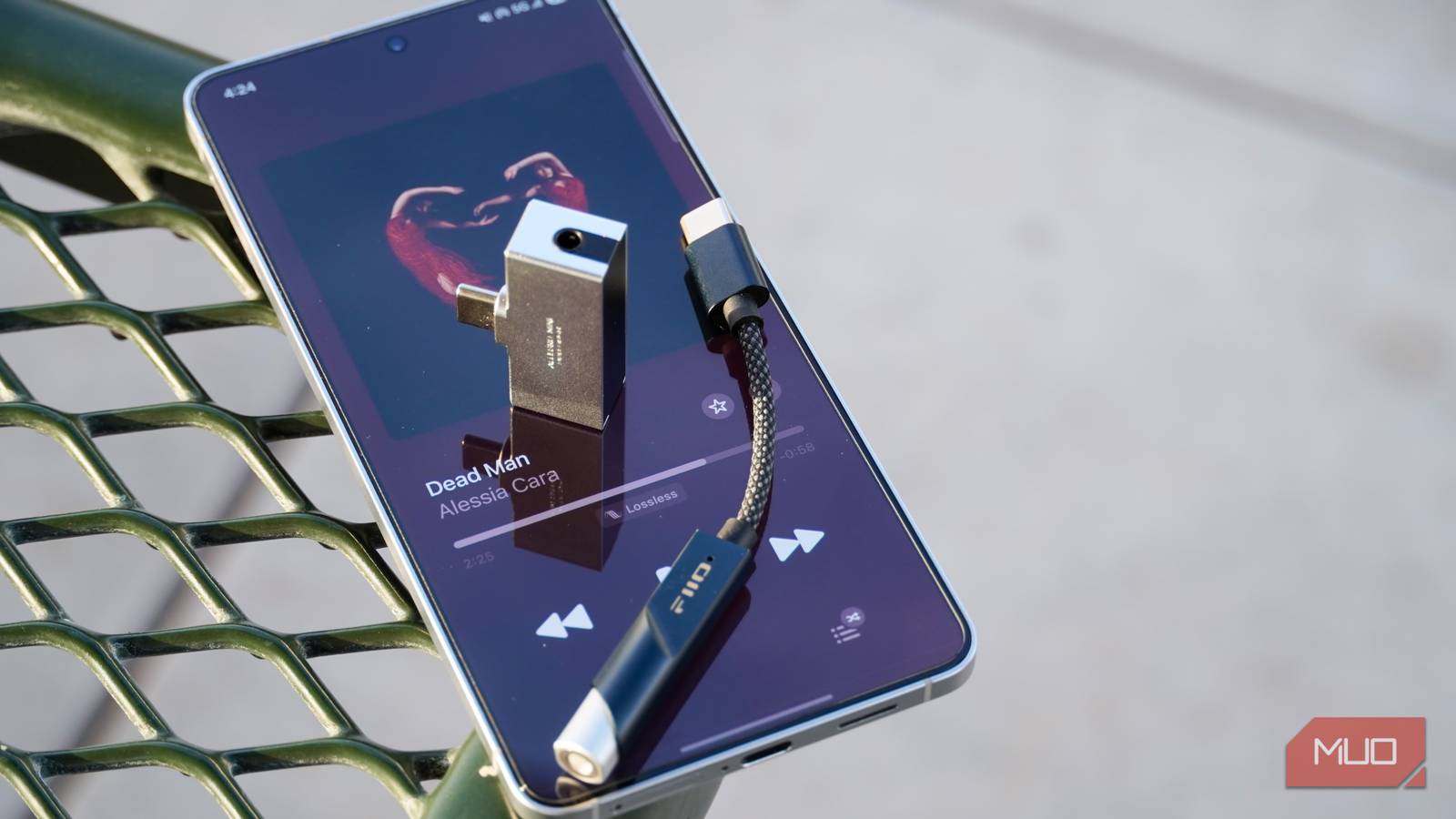
You can achieve superior audio quality by using USB-C audio accessories, which bypass your phone’s internal audio components. This method requires a device with a USB-C port and works best with Android 14 or later.
Table of Contents
Why USB-C Audio is Superior to the Headphone Jack
It is easy to miss the convenience of the traditional headphone jack. However, USB-C audio offers a demonstrably better listening experience. If you have a choice between using your phone’s built-in headphone jack or a USB-C connection, opt for USB-C every time.
Your phone’s integrated Digital-to-Analog Converter (DAC), amplifier, and headphone jack may not deliver the best possible sound. Even when a device includes a 3.5mm headphone jack, using a USB-C audio adapter with a separate DAC often results in superior audio fidelity.
This is because dedicated USB-C audio adapters and headphones can provide a cleaner, more powerful audio signal. They bypass the limitations of the phone’s internal audio hardware, leading to a richer and more detailed sound.
Understanding Digital-to-Analog Converters (DACs) and Amplifiers
A USB-C port on your smartphone offers a straightforward way to connect external Digital-to-Analog Converter (DAC) dongles. These small adapters often include a built-in amplifier, significantly enhancing audio quality beyond what your phone’s headphone jack could provide.
At its core, a DAC’s function is to translate the digital information—the 1s and 0s—found in audio files into analog electrical signals. These analog signals are then sent to an amplifier, which boosts their strength for output to your headphones or speakers.
Essentially, every device that plays audio already contains a DAC. However, not all DACs are created equal. The quality of the DAC and the accompanying amplifier are the primary factors determining the clarity and richness of the sound you hear.
Getting the Most Out of USB-C Audio on Android
To experience bit-perfect audio playback on Android, it’s important to avoid system-level audio processing. Android’s AudioFlinger system audio server and mixer typically downsample high-quality audio files to a standard sample rate of 48kHz, which can degrade sound fidelity.
By using a USB-C DAC in conjunction with an app like USB Audio Player Pro, you can bypass Android’s resampling process. This ensures that the audio stream remains unmodified, preserving its original quality.
Android 14 introduced native bit-perfect USB audio playback. This feature guarantees that audio streams are sent to connected USB accessories, such as dongle DACs, without any alterations. The audio stream will not undergo volume scaling, sample rate conversion, or audio processing effects.
Affordable USB-C Audio Accessories
You can acquire excellent USB-C audio accessories without breaking the bank. Consider spending around $20 or $30 on a high-quality dongle DAC, such as the Fiio KA11 or the Linsoul Kiwi Ears Allegro Mini. Even more affordable options are available for under $10.
Surprisingly, Apple offers a very capable USB-C to 3.5mm adapter. This adapter contains a DAC and amplifier that perform admirably, driving headphones better than many built-in headphone jacks.
Numerous USB-C headphones and earbuds are available on the market. For instance, Sony’s wired USB-C earbuds provide good quality for about $30. Belkin’s SoundForm ANC wired USB-C earbuds also cost around $30 and include active noise-canceling.
Even Apple’s USB-C EarPods are a strong option for those on a budget, priced at approximately $19. Many wireless over-ear headphones, like Bose QuietComfort Ultra 2 or AirPods Max 2, also support direct USB-C audio input for lossless listening.
Key USB-C Audio Features
- Superior Sound Quality: Bypasses internal phone DAC and amplifier.
- Digital-to-Analog Converter (DAC): Translates digital audio files into analog signals.
- Amplifier: Boosts the analog signal for output to headphones or speakers.
- Android 14+ Support: Offers native bit-perfect USB audio playback.
- Reduced Resampling: Avoids 48kHz downsampling with specific apps and DACs.
- Affordable Accessories: Quality DAC dongles available for under $30.
How to Use USB-C Audio
- Connect a USB-C audio accessory: Plug in USB-C headphones, earbuds, or a dongle DAC into your device’s USB-C port.
- (Optional) Install a dedicated app: For Android devices, download an app like USB Audio Player Pro to ensure bit-perfect playback.
- (Optional) Configure app settings: Within the app, select your USB-C accessory as the audio output device and enable any bit-perfect or exclusive mode options.
- Play your audio: Enjoy your music or other audio content through the connected USB-C accessory.
Frequently Asked Questions
What is a DAC?
A Digital-to-Analog Converter (DAC) is a chip that transforms digital audio data, like the 1s and 0s in a music file, into an analog electrical signal. This analog signal is what your headphones or speakers use to produce sound.
Why is USB-C audio better than the headphone jack?
USB-C audio allows you to use external DACs and amplifiers that are often superior to the ones built into your phone. This bypasses potential limitations of the internal hardware, leading to cleaner and more detailed sound reproduction.
Can I get bit-perfect audio on Android?
Yes, with Android 14 or later, you can achieve bit-perfect USB audio playback. Using a USB-C DAC and a compatible app like USB Audio Player Pro helps bypass system resampling and ensures the audio stream remains unaltered.
Are USB-C audio accessories expensive?
No, many affordable USB-C audio accessories are available. You can find quality dongle DACs for under $30, and some excellent options are available for less than $10. USB-C headphones and earbuds are also widely available at reasonable prices.
What happens if USB-C audio doesn’t work?
If USB-C audio is not functioning correctly, ensure your device supports USB audio output. Check that the USB-C accessory is compatible and properly connected. For Android devices, verify that your operating system version supports USB audio features or try using a dedicated audio app.
