

Razer Prio Review: Is the $99.99 Foldable Controller Worth the Pocket?

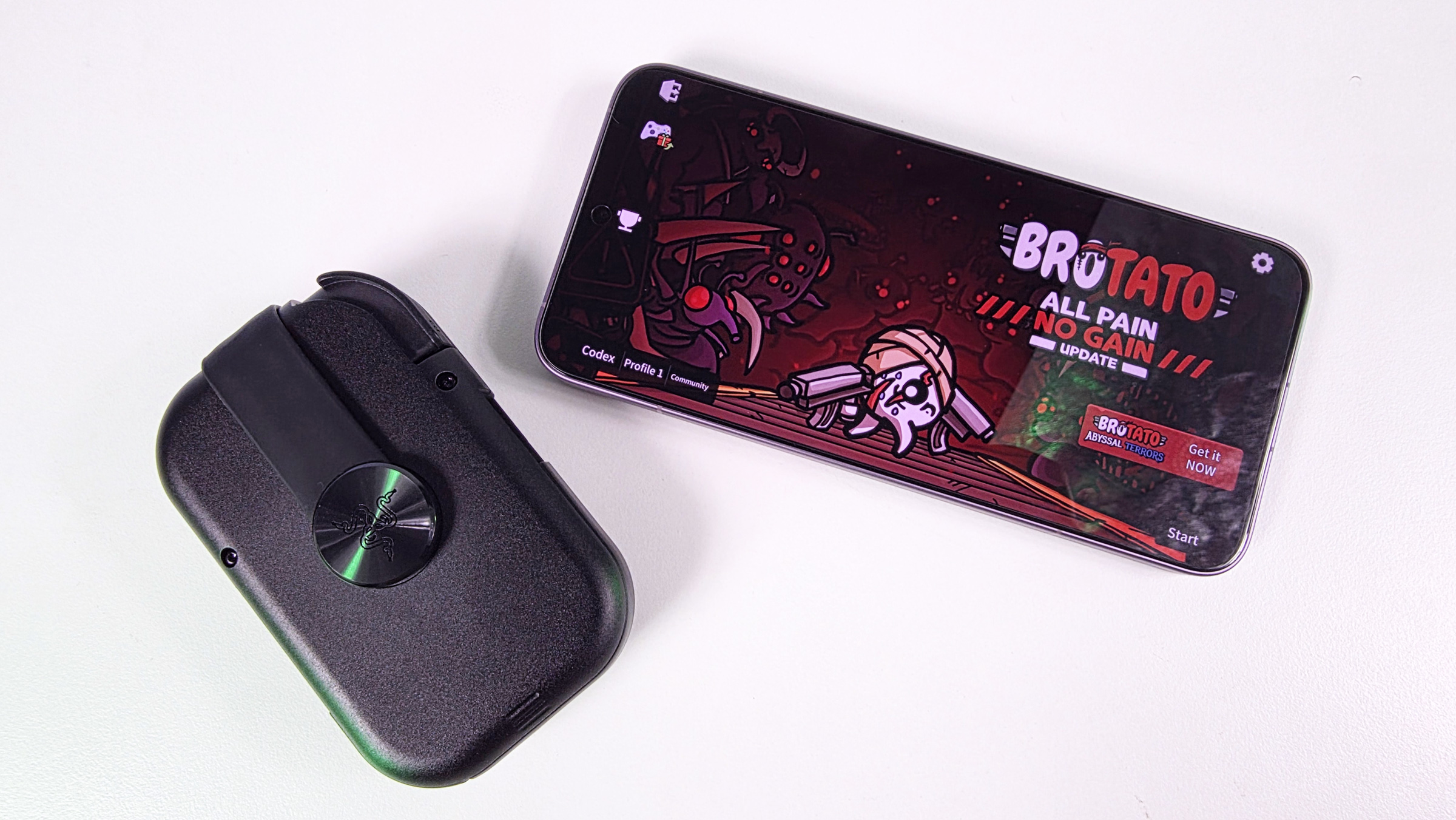
The Razer Prio is a foldable mobile controller that prioritizes portability, making it a practical option for gamers who want to game on the go without sacrificing too much functionality. It succeeds by being genuinely easy to carry and more comfortable than touchscreen controls, though its compact size leads to some compromises.
Key Facts
- Price: $99.99
- Dimensions (Closed): 107mm x 67mm
- Weight: 101 grams
- Compatibility: USB-C smartphones (up to 188mm length, 15mm thick cases), Android, modern USB-C iPhones, cloud and remote streaming services.
- Key Feature: Foldable design for extreme portability.
Table of Contents
The Razer Prio’s Portable Design
Rather than attempting to emulate bulky mobile controllers, Razer’s new Prio focuses on portability. This design philosophy means it doesn’t chase the largest grips or most console-like ergonomics. Instead, Razer engineered a fundamentally different device.
The Prio folds into a compact form measuring just 107mm by 67mm when closed. This makes it approximately credit card-sized in both length and width. It weighs only 101 grams, making it the first mobile controller encountered that genuinely fits into a pocket.
Unfolding and Using the Razer Prio
The Prio’s defining characteristic is its unique folding mechanism. Each half rotates inward and locks using an interlocking design, transitioning from a compact rectangle to a full controller. This mechanism effectively solves the portability problem that plagues many competitors.
Initially, the setup can be confusing. The first few times unfolding the Prio, one might struggle with the locking mechanism and precise rotation of each piece. Razer could enhance the user experience with clearer instructions for this process.
However, this learning curve is short. After several uses, unfolding the controller becomes second nature. The compact nature allows users to easily carry it, making it a practical choice for gaming on the move. Users will appreciate that they can simply toss it into a pocket and forget it is there until needed.
Once unfolded, the Prio presents a complete controller layout. This includes dual thumbsticks, a D-pad, bumpers, triggers, face buttons, and dedicated function buttons. While the compact size necessitates compromises, the controls are still functional for mobile gaming.
The thumbsticks are noticeably smaller than those found on traditional controllers. The face buttons also reflect the Prio’s portable-first design. Users expecting the comfort of an Xbox controller may need to adjust their expectations regarding the Prio’s size.
Razer utilizes capacitive thumbsticks with contactless sensors. These detect movement without traditional mechanical contacts, potentially improving durability and reducing stick drift over time. During testing with games like Brotato and Xbox Cloud Gaming titles, controls felt accurate and responsive. The direct USB-C connection eliminates input lag, pairing issues, or connectivity problems.
The triggers are usable but highlight the limitations of the compact design. The L2 and R2 triggers feel unusual and are somewhat clickier than expected, functional but not comparable to premium full-sized controller triggers.
Razer Prio’s Gaming Ecosystem and Compatibility
The dedicated Cortex button launches Razer’s gaming software. This program automatically aggregates installed games into a centralized library. The experience is similar to a Steam Deck or handheld gaming PC launcher, simplifying game access.
The controller supports mobile games, cloud streaming, and remote play services. This includes Xbox Cloud Gaming, Steam Link, PlayStation Remote Play, and Razer PC Remote Play. The controller works with USB-C smartphones up to 188mm in length and cases up to 15mm thick, supporting both Android and modern USB-C iPhones.
Some mobile games, particularly those locked to portrait orientation, may not benefit from the Prio. Titles like 1945 Air Force and Raiden Fighter are not designed for horizontal controller gameplay, limiting the Prio’s utility in such cases. For console-style mobile games, however, it proves to be an excellent fit.
Comparing the Razer Prio to Alternatives
Readers might mistakenly compare the Prio directly to controllers like the Razer Kishi V3 Pro, which received positive reviews. The Prio is not designed to be the most ergonomic controller, but rather the one users are willing to carry daily.
During longer gaming sessions, the smaller controls become more noticeable. Hands are more aware of the compact design compared to larger controllers like the Kishi V3 Pro. Despite this, the Prio remains a superior option to touchscreen controls for most users.
Playing action games with virtual buttons often leads to hand fatigue and cramping more rapidly than using the Prio. Its tactile controls offer actual feedback, keep thumbs off the screen, and make games considerably more comfortable to play. For those primarily using on-screen controls, the Prio represents a significant quality-of-life improvement.
Razer’s own lineup presents the Prio’s biggest competition. The Razer Kishi V3 and Kishi V3 Pro offer larger controls and better ergonomics for a more traditional controller experience, suitable for couch gaming or transport in a backpack. The Prio, however, focuses on being pocketable, a distinction that significantly impacts its practical use.
While other controllers like the Backbone One Xbox Edition ($109) and Abxylute S9 ($99) are great for mobile gaming, they lack the Prio’s pocketable form factor. The Razer Prio succeeds by understanding its primary objective: extreme portability without sacrificing too much functionality.
Razer Prio Pricing and Value
The new $99 Razer Prio aims to solve the problem of bulky mobile controllers. At $99.99, its price sits at the upper end of what might be considered reasonable. A price of $79.99 would likely represent a sweeter spot for many consumers.
However, Razer smartly avoided pricing it too close to the more premium Kishi V3 Pro, which costs $149.99. There are certainly mobile controllers available on the market that are priced significantly higher than the Prio.
Despite its compact design, the Prio offers a full suite of controls. This includes dual thumbsticks, a D-pad, face buttons, and triggers, making it a capable controller for various mobile games. The direct USB-C connection ensures lag-free performance.
The Prio’s folding mechanism is a standout feature, though the initial setup can be confusing. While the controls are smaller than on traditional controllers, they are still responsive and offer a tactile experience. The capacitive thumbsticks are an interesting technological choice.
The controller’s value is largely tied to its portability. If the ability to easily carry a controller at all times is a priority, the Prio delivers. Its convenience and functionality make it a compelling option for mobile gamers seeking an upgrade from touchscreen controls.
Frequently Asked Questions
What are the dimensions of the Razer Prio when folded?
When folded, the Razer Prio measures 107mm by 67mm, making it roughly the size of a credit card in length and width. It weighs only 101 grams, fitting easily into a pocket.
Is the Razer Prio compatible with iPhones?
Yes, the Razer Prio supports modern USB-C iPhones. It also works with Android smartphones that use USB-C and can accommodate phones up to 188mm in length and with cases up to 15mm thick.
Does the Razer Prio use Bluetooth?
No, the Razer Prio connects directly via USB-C rather than Bluetooth. This direct connection helps to ensure accurate controls and prevents input lag, pairing issues, or connectivity problems during gameplay.
How does the Razer Prio compare to the Razer Kishi V3 Pro?
The Razer Kishi V3 Pro offers larger controls and better ergonomics for a more traditional controller experience. The Prio, conversely, prioritizes extreme portability and a pocketable design, making it a different choice for users who value convenience above all else.
Worth it if: You prioritize extreme portability and want a controller that you can easily carry everywhere, offering a significant upgrade over touchscreen controls.
Skip if: You need the most ergonomic controller for extended sessions or are looking for a controller with larger, more traditional buttons and grips.
