

Acer Swift Air 14 vs. Dell XPS 13: Which $699 Laptop is Better?

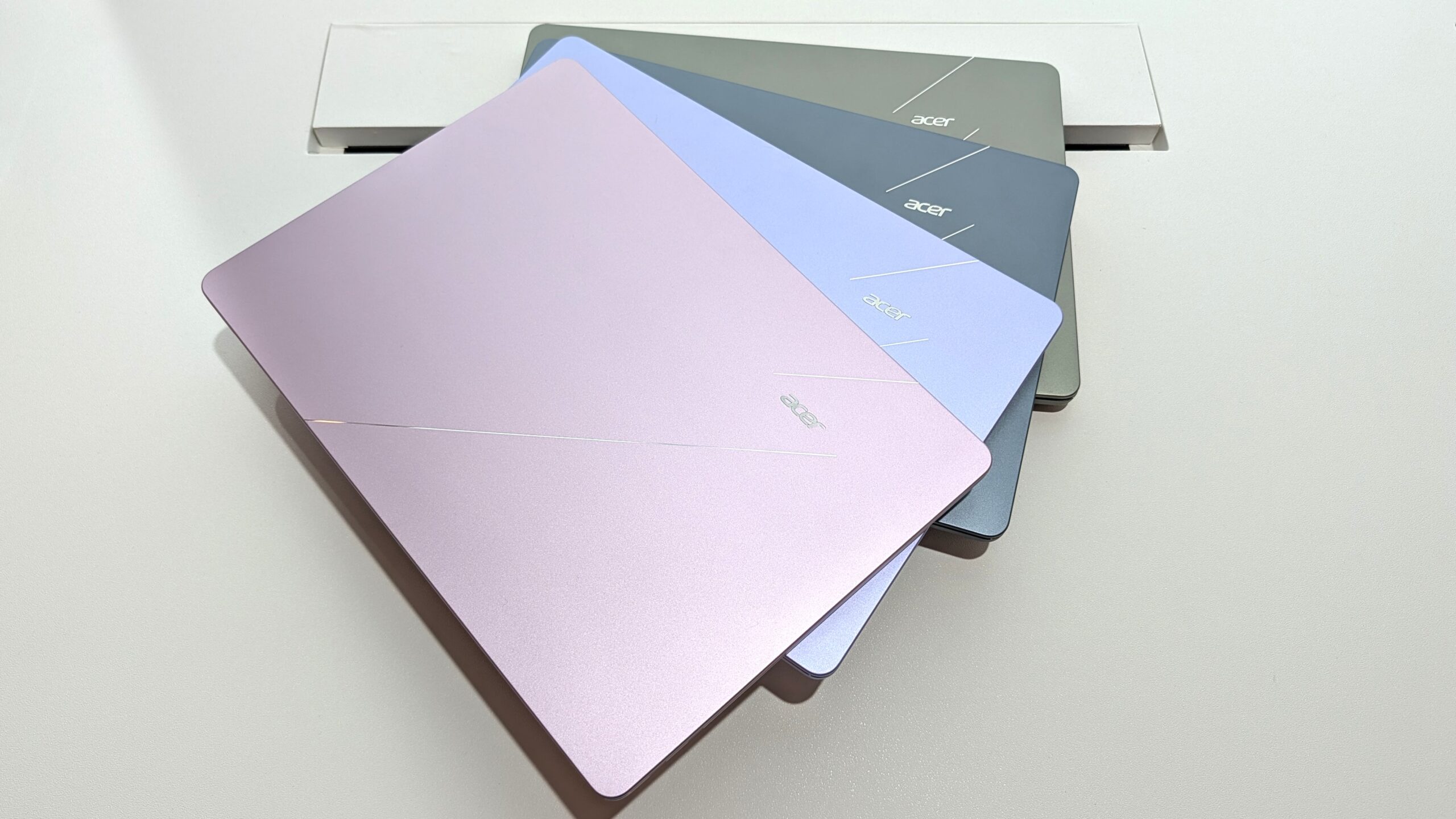
The Acer Swift Air 14 is the better choice for users prioritizing screen size and port selection, while the Dell XPS 13 excels for maximum portability and a higher-resolution display. Both laptops offer a premium feel at a competitive $699 price point, but their differences in display, ports, and dimensions cater to distinct user needs.
Table of Contents
Design and Portability: Acer Swift Air 14 vs. Dell XPS 13
The Acer Swift Air 14 features a beautiful metal enclosure that feels premium to the touch, complemented by a large trackpad and an excellent keyboard.
Windows Central Senior Editor Zac Bowden praised its design at Computex, noting its premium feel and comfortable input devices. The Swift Air 14 measures approximately 12.36 inches wide and sports a 14-inch display.
In contrast, the Dell XPS 13 is the more compact and lighter option, measuring 11.69 inches wide and weighing just 2.2 pounds.
While the Swift Air 14 weighs 2.75 pounds, both laptops are considered highly portable. The XPS 13 also boasts a premium aluminum frame, matching the Swift Air 14’s build quality and feel.
The Dell XPS 13 offers two color options: Storm and Sky. The Acer Swift Air 14 provides a wider selection with Sage Green, Frost Blue, Blossom Pink, and Lilac Purple. Both machines are thin, with only a 0.1-inch difference in thickness, ensuring they easily fit into most bags.
Display: Acer Swift Air 14 vs. Dell XPS 13
The Dell XPS 13 boasts a superior 13.4-inch display with a crisp 2560×1600 (2.5K) resolution. It offers a maximum brightness of 500 nits and 100% DCI-P3 color coverage, with Dolby Vision certification for HDR content. Its 30Hz to 120Hz variable refresh rate enhances both visuals and battery efficiency.
The Acer Swift Air 14 features a larger 14-inch screen, which is beneficial for multitasking, and covers 100% sRGB color.
However, its display has a lower 1920×1200 (FHD+) resolution and a reduced brightness of 350 nits. While it offers a smooth 120Hz refresh rate, it lacks the variable refresh rate found on the XPS 13.
Connectivity and Ports: Acer Swift Air 14 vs. Dell XPS 13
The Acer Swift Air 14 offers a more generous port selection, featuring dual Thunderbolt 4 ports, one USB-A 3.2 port, and a 3.5mm audio jack. This makes it a more versatile option for users who connect various peripherals.
The Dell XPS 13, depending on the CPU configuration, comes with either dual USB-C 3.2 (Gen 2) ports or dual Thunderbolt 4 ports. However, it omits the 3.5mm audio jack and a USB-A port, which might be a drawback for some users.
The XPS 13 does include more modern Wi-Fi 7 connectivity, paired with Bluetooth 6.0, while the Swift Air 14 uses Wi-Fi 6E and Bluetooth 5.3.
Price and Value: Acer Swift Air 14 vs. Dell XPS 13
Both the Dell XPS 13 and Acer Swift Air 14 are positioned in the affordable yet premium Windows laptop market, with a starting price of $699 for general consumers.
The XPS 13 is available for $599 for students. Acer’s Swift Air 14 enters this competitive space aiming to capture users who value a larger screen and more ports.
The Dell XPS 13 initiated this segment, offering a premium experience at a lower cost than previous models. Acer’s Swift Air 14 directly challenges this by providing similar premium build quality and features.
The value proposition for each depends on whether a user prioritizes screen size and connectivity (Swift Air 14) or compact design and a higher-resolution display (XPS 13).
| Feature | Acer Swift Air 14 | Dell XPS 13 |
|---|---|---|
| Starting Price | $699 | $699 ($599 for students) |
| Display Size | 14 inches | 13.4 inches |
| Display Resolution | 1920×1200 | 2560×1600 |
| Display Brightness | 350 nits | 500 nits |
| Ports | 2x Thunderbolt 4, 1x USB-A 3.2, 3.5mm audio jack | 2x USB-C 3.2 Gen 2 (or Thunderbolt 4 on some models) |
| Width | 12.36 inches | 11.69 inches |
| Weight | 2.75 pounds | 2.2 pounds |
| Color Options | 4 | 2 |
Performance and Battery Life
Both the Acer Swift Air 14 and Dell XPS 13 are powered by Intel’s Wildcat Lake Core Series 3 processors, suggesting similar performance levels for everyday tasks.
The XPS 13 currently uses a Core 5 320 chip, with a more powerful Intel Panther Lake Core Ultra 7 355 chip expected later. The Swift Air 14 is anticipated to launch with the Core 5 320 as well, and Acer will also offer a Core 7 350 option.
Both laptops support 8GB or 16GB of LPDDR5 RAM, with Dell planning a 32GB configuration for its future Intel Core Ultra XPS 13 model. In terms of battery, the Swift Air 14 has a larger 70Wh battery, estimated to provide up to 19 hours of video playback.
The XPS 13 features a 52Wh battery, which Dell claims can last up to 17 hours of video streaming, aided by denser 800ED battery cells.
Webcam and Keyboard
Both the Acer Swift Air 14 and Dell XPS 13 include 1080p webcams with IR sensors for Windows Hello facial recognition, offering a similar level of security and convenience. During hands-on testing, both cameras performed well in various lighting conditions, making them suitable for video conferencing.
Input devices on both laptops are well-implemented. The XPS 13 uses a traditional keyboard design and a large mechanical touchpad.
The Swift Air 14 also features a keyboard with decent travel and a comfortable feel, along with a large, responsive touchpad. Neither laptop disappoints in terms of keyboard or touchpad quality, though personal preference will dictate which is preferred.
Frequently Asked Questions
Which laptop is more portable?
The Dell XPS 13 is more portable, weighing 2.2 pounds and measuring 11.69 inches wide, compared to the Acer Swift Air 14’s 2.75 pounds and 12.36-inch width. Both are thin and have premium aluminum builds.
Does either laptop have Thunderbolt 4?
Yes, the Acer Swift Air 14 comes standard with dual Thunderbolt 4 ports. The Dell XPS 13 offers Thunderbolt 4 ports on models with an Intel Panther Lake CPU, while lower-cost configurations feature USB-C 3.2 Gen 2 ports.
Which laptop has a better display?
The Dell XPS 13 has a superior display with a higher 2560×1600 resolution, 500 nits brightness, and Dolby Vision support. The Acer Swift Air 14 offers a larger 14-inch screen with a 1920×1200 resolution and 350 nits brightness.
Which laptop offers better value?
Both laptops offer excellent value at $699, creating a new affordable-premium segment. The Acer Swift Air 14 provides better value if you need more ports and a larger 14-inch display. The Dell XPS 13 is better if maximum portability and a higher-resolution screen are your priorities.
Buy the Acer Swift Air 14 if:
- You prefer a larger 14-inch display for multitasking.
- You need a more comprehensive selection of ports, including USB-A and a 3.5mm audio jack.
- You want more color options for your laptop.
Buy the Dell XPS 13 if:
- Maximum portability and a lighter weight are your top concerns.
- You desire a higher-resolution display with better brightness and HDR support.
- You are a student and can take advantage of the $599 price point.
