

Surface Pro 11 vs M4 iPad Pro: Which is Better with Prices from $349?

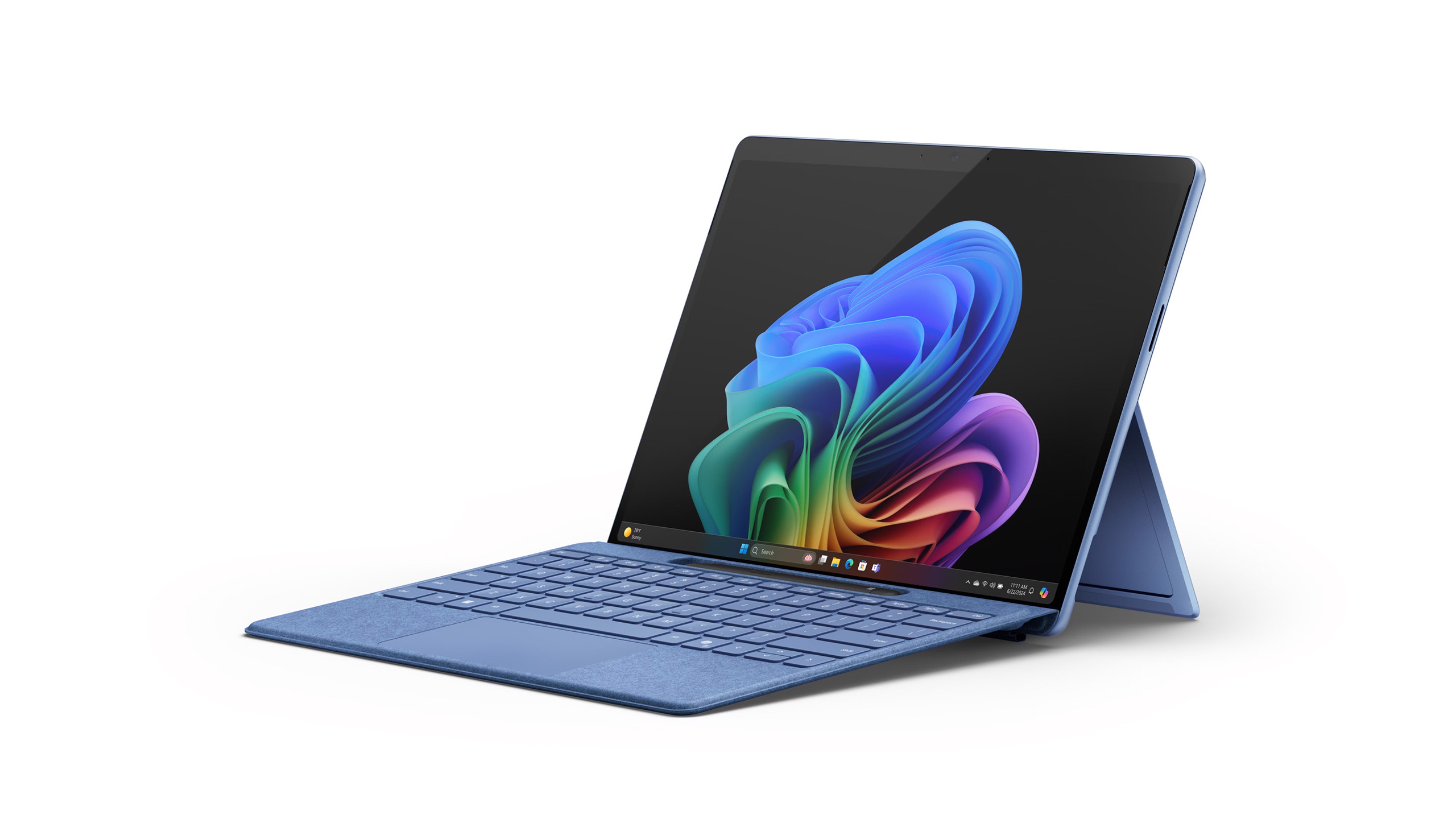
The Surface Pro 11 is the better choice for Windows users prioritizing a versatile tablet that doubles as a laptop, thanks to its dual USB-C ports and integrated AI features. The M4 iPad Pro excels for Apple ecosystem users seeking the thinnest and lightest tablet with a superior OLED display and powerful M4 chip.
Table of Contents
Design and Display: Which Tablet Looks and Feels Better?
The M4 iPad Pro sets new standards as Apple’s thinnest tablet ever, measuring just 0.98 pounds. It boasts a screen with the deepest blacks ever seen on an iPad. The tablet features slim bezels and a glass slate design that can be easily mistaken for the Surface Pro at a glance.
The Surface Pro 11 matches its predecessors with a 13-inch display offering a 2880×1920 resolution and a 120Hz refresh rate. An OLED version is available for an additional $500. The iPad Pro utilizes stacked “Tandem OLED” panels for an excellent viewing experience across both its sizes.
While the Surface Pro 11 includes a rear kickstand, the iPad Pro requires a case or keyboard accessory for similar freestanding functionality. The Surface Pro 11 weighs 1.97 pounds, making it noticeably heavier than the iPad Pro.
| Feature | Surface Pro 11 | M4 iPad Pro |
|---|---|---|
| Weight | 1.97 pounds | 0.98 pounds |
| Thickness | Not specified | Thinnest Apple tablet ever |
| Display Type | LCD or OLED (optional) | Tandem OLED |
| Display Resolution | 2880×1920 | Not specified |
| Kickstand | Yes | No (requires accessory) |
Performance and AI: Powering the Next Generation
Microsoft is positioning the Surface Pro 11 as a top-tier tablet with the Snapdragon X Plus chipset. This new chip aims to deliver powerful performance and efficiency. The device runs Windows 11, offering integrated features like Microsoft’s Copilot AI.
The M4 iPad Pro introduces Apple’s most powerful chip yet, the M4. This chip features a 10-core CPU, a 10-core GPU, and a Neural Engine optimized for AI tasks, supporting features like ray tracing for gaming.
Apple’s M4 chip is noted for its power and energy efficiency. The Neural Engine is expected to handle on-device AI tasks, such as summarizing messages and transcribing voice memos. As more applications incorporate AI, the gap between platforms is expected to narrow.
The Surface Pro 11’s Snapdragon processors are also designed for high performance and efficiency. With Windows 11, users can easily access web-based AI tools like ChatGPT and Gemini, alongside Copilot.
Price and Storage: What Will You Pay?
The Surface Pro 11 starts at $999 for a 13-inch model with 256GB of storage. Doubling the SSD space to 512GB increases the price to $1199. Both models feature a 2880×1920 display resolution.
At a similar starting point, the 11-inch iPad Pro M4 costs $999 with 256GB of storage. The 13-inch iPad Pro M4 with 256GB of storage is priced higher at $1299. Neither device offers upgradable storage.
Both tablets come with 256GB of storage as a base option, with 512GB and 1TB configurations available. The iPad Pro does offer a 2TB storage option, which is significantly more expensive.
The iPad Pro starts with 8GB of RAM, with higher capacity models reaching 16GB. The Surface Pro 11 includes 16GB of RAM across all models, with the option to upgrade to 32GB on OLED versions.
Camera and Battery Life: Everyday Essentials
The M4 iPad Pro removes the Ultra-Wide camera found on the previous M2 version, leaving a 12MP Wide camera. The front-facing camera is also 12MP and is now oriented in landscape mode, a welcome change for video calls.
The Surface Pro 11 features a 10MP rear camera. Its front-facing camera is described as “Quad HD” but the MP count is not specified. It is also positioned in a landscape orientation.
Battery life on the Surface Pro 11 is rated for up to 14 hours for video playback, though general usage like web browsing typically yields around 10 hours. The iPad Pro offers a similar 10-hour battery life for web browsing, dropping to around 9 hours on cellular models.
Both devices’ battery life will vary depending on usage. More demanding tasks will consume battery power more quickly than lighter activities.
| Feature | Surface Pro 11 | M4 iPad Pro |
|---|---|---|
| Rear Camera | 10MP | 12MP Wide |
| Front Camera | “Quad HD” (MP unspecified) | 12MP |
| Front Camera Orientation | Landscape | Landscape |
| Video Playback Battery Life | Up to 14 hours | Not specified |
| Web Browsing Battery Life | ~10 hours | 10 hours |
Connectivity and Peripherals: Adapting to Your Workflow
The Surface Pro 11 offers superior port selection with two USB-C ports, allowing simultaneous charging and accessory connection. The iPad Pro M4, however, features only a single USB-C port, necessitating an expensive accessory like the Magic Keyboard for an additional charging port.
For wireless connectivity, the iPad Pro M4 supports Wi-Fi 6E and 5G on cellular models. The Surface Pro 11 boasts Wi-Fi 7, though its full benefits require a compatible router.
Both devices support modular accessories that can significantly increase their cost. The iPad Pro’s redesigned Magic Keyboard is $349 and includes a larger trackpad. The Apple Pencil Pro is an additional $129.
Microsoft’s new Surface Pro Flex keyboard cover is also $349 and can be used detached from the tablet. The Surface Pro Flex can be bundled with the Slim Pen for $449. The Slim Pen stores within the keyboard for travel.
Frequently Asked Questions
Which tablet is lighter?
The M4 iPad Pro is significantly lighter, weighing 0.98 pounds compared to the Surface Pro 11’s 1.97 pounds.
Does the Surface Pro 11 have a kickstand?
Yes, the Surface Pro 11 includes a built-in rear kickstand, offering freestanding functionality.
Which device has more USB-C ports?
The Surface Pro 11 offers two USB-C ports, while the iPad Pro M4 has only one.
What are the base storage and RAM configurations?
Both devices start with 256GB of storage. The iPad Pro M4 starts with 8GB of RAM, and the Surface Pro 11 comes standard with 16GB of RAM.
Buy Surface Pro 11 if: You are a Windows user who needs a device that can seamlessly transition between tablet and laptop use, values port flexibility with dual USB-C, and wants integrated AI features.
Buy M4 iPad Pro if: You are invested in the Apple ecosystem, prioritize a thinner and lighter device with a superior OLED display, and need the raw power of Apple’s M4 chip for creative tasks.
