

Dell XPS 13 (2026) vs MacBook Neo: XPS Wins with 120Hz Touch Display

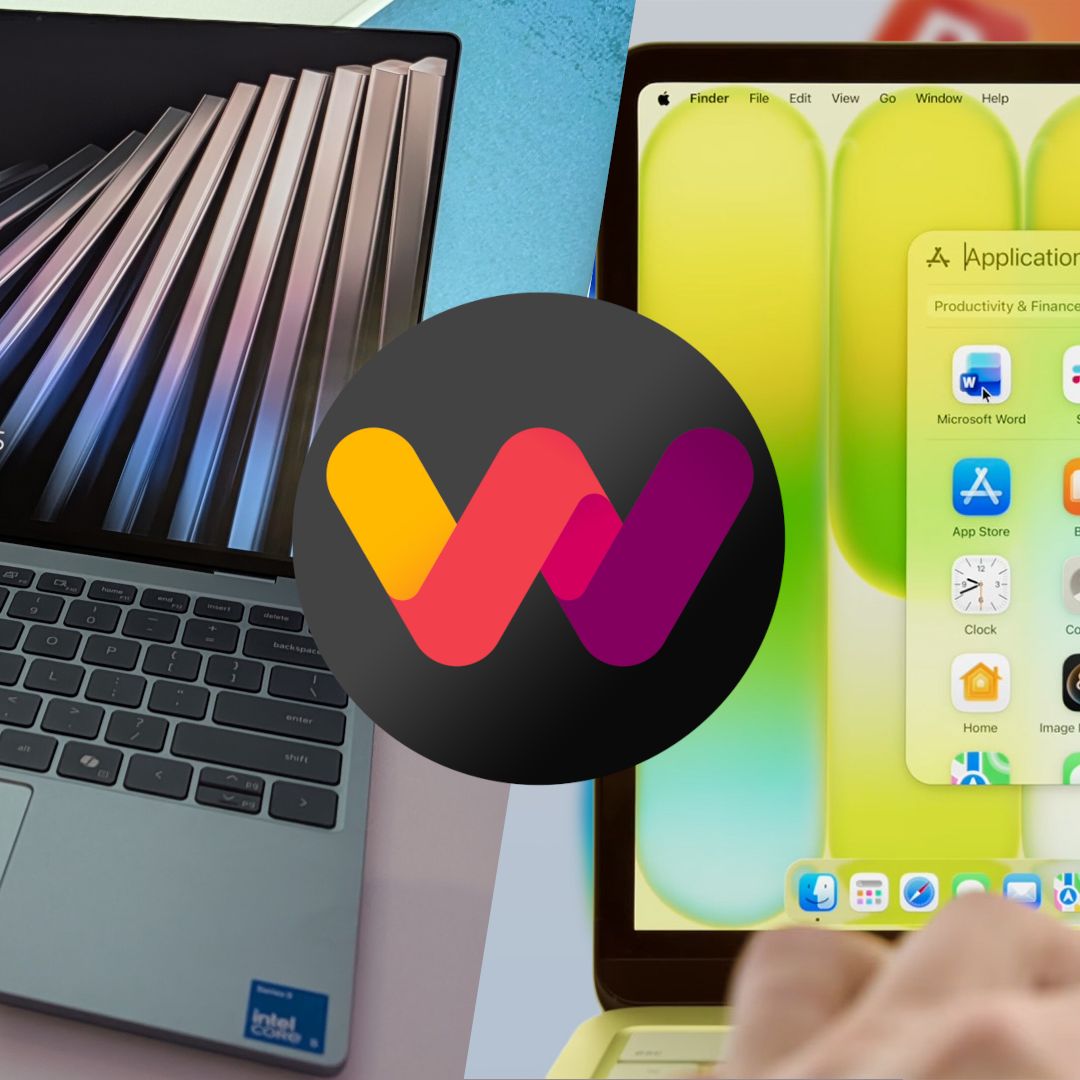
The Dell XPS 13 is the superior choice for Windows users seeking more features for their money, while the MacBook Neo is best for those prioritizing a macOS ecosystem and top-tier performance. The deciding factor is the XPS 13’s abundance of user-requested features absent from the Neo.
Table of Contents
Dell XPS 13 Dominates with Features
The new Dell XPS 13 for 2026 includes several features that the MacBook Neo omits. Most notably, the XPS 13 offers a backlit keyboard, a crucial addition for users who type in varied lighting conditions. This is a feature expected on laptops in 2026.
Both laptops feature 1080p webcams, but the XPS 13 adds an IR sensor for Windows Hello facial recognition, offering a more secure and convenient biometric option than the Neo’s fingerprint reader. The XPS 13 also boasts quad speakers, providing a richer audio experience compared to the Neo’s setup.
Furthermore, the XPS 13 supports faster Wi-Fi 7 connectivity, an upgrade from the Neo’s Wi-Fi 6E. The XPS 13 also provides more versatile port options, with dual USB-C 3.2 Gen 2 on the Wildcat Lake model and dual Thunderbolt 4 ports on the Panther Lake configuration. This allows for more robust multi-display setups.
Design and Portability: XPS 13 vs. MacBook Neo
Both the Dell XPS 13 and the MacBook Neo are constructed from premium aluminum, offering a solid and high-quality feel. The XPS 13, however, holds a significant advantage in portability. It weighs just 2.2 pounds (1kg), making it substantially lighter than the MacBook Neo, which tips the scales at 2.7 pounds (1.23kg).
In terms of dimensions, both laptops share an identical thickness of 0.5 inches (12.7mm). Despite this similarity, the XPS 13 manages to present a more compact overall footprint. This reduction in size, combined with its lighter weight, makes the XPS 13 the more convenient device for frequent travelers.
Display Differences: XPS 13’s Superior Screen
The Dell XPS 13 features a 13.4-inch display that surpasses the MacBook Neo’s 13-inch screen. Despite being slightly larger, the XPS 13’s panel fits within a smaller chassis. Its resolution is also higher, measuring 2560×1600 compared to the Neo’s 2408×1506.
A key differentiator is the refresh rate. The XPS 13 offers a variable refresh rate that can dynamically adjust between 30Hz and 120Hz. This provides a smoother visual experience and better battery efficiency when needed, a significant upgrade from the MacBook Neo’s fixed 60Hz refresh rate, which offers less eye comfort.
The XPS 13’s touch display achieves 500 nits of brightness and boasts VESA DisplayHDR 400 certification, along with a 100% DCI-P3 color gamut and Dolby Vision support. It also includes an anti-glare finish. While the Neo’s display also reaches 500 nits and includes Dolby Vision, it lacks touch capability and the advanced refresh rate options.
Performance Comparison: Intel CPUs vs. Apple Silicon
The MacBook Neo’s A18 Pro chip is recognized for its strong performance and efficiency, particularly for users who prefer macOS. However, the Dell XPS 13, equipped with Intel’s new Wildcat Lake CPUs, presents a compelling alternative for Windows enthusiasts. Early benchmarks for the Intel Core 5 320 show promising power.
In Geekbench 6, the Core 5 320 achieved average scores of 2,575 for single-core and 8,000 for multi-core performance. This is competitive with the A18 Pro’s approximately 3,500 single-core and 8,500 multi-core scores.
PassMark CPU tests showed the Core 5 320 scoring 3,853 single-core and 15,033 multi-core, while the A18 Pro scored 4,086 single-core and 12,837 multi-core.
For users requiring higher performance, the XPS 13 will be available with the post-launch Core Ultra 7 355 processor. These higher-end configurations can also be equipped with up to 32GB of RAM and a 1TB M.2 PCIe 4.0 SSD, positioning them for more demanding tasks.
The XPS 13 offers dual USB-C 3.2 Gen 2 ports for Wildcat Lake models and dual Thunderbolt 4 ports for Panther Lake models.
| Feature | Dell XPS 13 (2026) | MacBook Neo |
|---|---|---|
| Display Size | 13.4 inches | 13 inches |
| Display Resolution | 2560×1600 | 2408×1506 |
| Refresh Rate | 30-120Hz VRR | 60Hz |
| Touchscreen | Yes | No |
| Webcam | 1080p with IR sensor | 1080p |
| Keyboard | Backlit | Non-backlit |
| Speakers | Quad speakers (8W total) | Dual speakers (4W total) |
| Wi-Fi | Wi-Fi 7 | Wi-Fi 6E |
| Ports | 2x USB-C 3.2 Gen 2 (WCL) / 2x Thunderbolt 4 (PTL) | 1x USB-C 3.2 (Gen 2), 1x USB-C 2.0, 3.5mm audio |
| Weight | 2.2 pounds (1kg) | 2.7 pounds (1.23kg) |
| Starting Price (Students) | $599 | $599 |
Frequently Asked Questions
What is the starting price for the Dell XPS 13?
The Dell XPS 13 has an introductory price of $599 for students. Regular buyers will see the price increase to $699.
What are the main advantages of the Dell XPS 13 over the MacBook Neo?
The XPS 13 offers a backlit keyboard, a touch display with a 120Hz refresh rate, quad speakers, faster Wi-Fi 7, and more versatile port options. It is also lighter and has a more compact footprint.
Does the Dell XPS 13 have a touch display?
Yes, the Dell XPS 13 features a 13.4-inch touch display with a 2560×1600 resolution and a variable refresh rate up to 120Hz.
Which laptop offers better performance?
While the MacBook Neo’s A18 Pro chip is efficient, the Intel Core 5 320 in the entry-level XPS 13 offers comparable performance. Higher-end XPS 13 configurations with the Core Ultra 7 355 are expected to provide even greater power.
Buy the Dell XPS 13 if: You are a Windows user who wants a laptop packed with features like a backlit keyboard, a high refresh rate touch display, and superior port selection at a competitive price. It’s an excellent choice for students and anyone seeking a modern and feature-rich PC.
Buy the MacBook Neo if: You prioritize the macOS ecosystem, require the absolute best in performance and efficiency, and are less concerned about specific hardware features like a touch screen or high refresh rate. It remains a strong option for those committed to Apple’s platform.
